Tutorials

How to Query CloudQuery with PostGraphile

In this how-to guide, we will walk you through how to set up CloudQuery to build your cloud asset inventory in PostgreSQL and build a GraphQL API query layer with PostGraphile on top of it. this can be used to build different use cases on from search to security, cost and infrastructure automation.

General Architecture

What You Will Get

  • Raw SQL access to all your cloud asset inventory to create views or explore any questions or connections between resources.
  • Multi-Cloud Asset Inventory: Ingest configuration from all your clouds to a single datastore with a unified structure.
  • GraphQL Endpoint to access and query all your cloud configurations.

Walkthrough

Step 1: Install or Deploy CloudQuery (fetch)

If it’s your first time using CloudQuery we suggest you first run it locally to get familiar with the tool. Take a look at our quickstart guide.

If you are already familiar with CloudQuery, take a look at how to deploy it to AWS on RDS Aurora and EKS at our GitHub .

Step 2: Install PostGraphile

For full details, check out the PostGraphile docs. If you are running locally will need Node.js and you can install PostGraphile globally via npm i -g postgraphile or (brew install PostGraphile)

To run PostGraphile locally all you need to do is the following (adjust the PostgreSQL URL accordingly):

postgraphile -c "postgres://postgres:pass@localhost:5432/postgres" --enhance-graphiql --skip-plugins graphile-build:NodePlugin --simple-collections only -p 6060

Step 3: Query and Profit

That’s it! The output of a successful run is presented below:

PostGraphile v4.12.9 server listening on port 6060 🚀

‣ GraphQL API: http://localhost:6060/graphql
‣ GraphiQL GUI/IDE: http://localhost:6060/graphiql
‣ Postgres connection: postgres://postgres:[SECRET]@localhost/postgres
‣ Postgres schema(s): public
‣ Documentation: https://graphile.org/postgraphile/introduction/
‣ Node.js version: v18.3.0 on darwin arm64
‣ Join PostHog in supporting PostGraphile development: https://graphile.org/sponsor/

* * *

Open the browser with the http://localhost:6060/graphiql endpoint to see the GraphiQL UI where you can compose any query you want interactively:
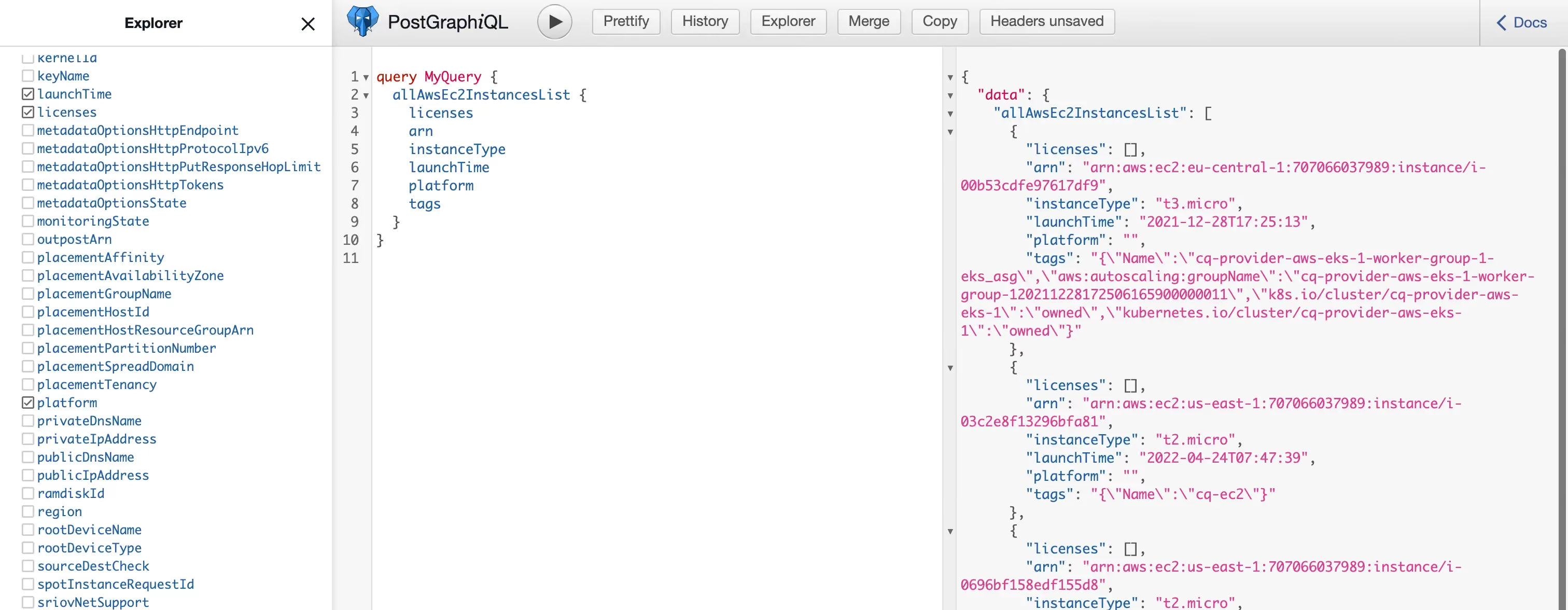
GraphiQL interface showing CloudQuery GraphQL query editor with schema explorer and query results

Step 4: Create New Views

By default PostGraphile exposes all tables and relationships of the existing tables but let's say you want to create a new view. All you need to do is to create a new view and PostGraphile will automatically generate the model for that. For example, check out this blog on how to create a unified AWS resource view (or GCP View). And just like that you can now query and search all your resources by arn, tags, name with GraphQL!
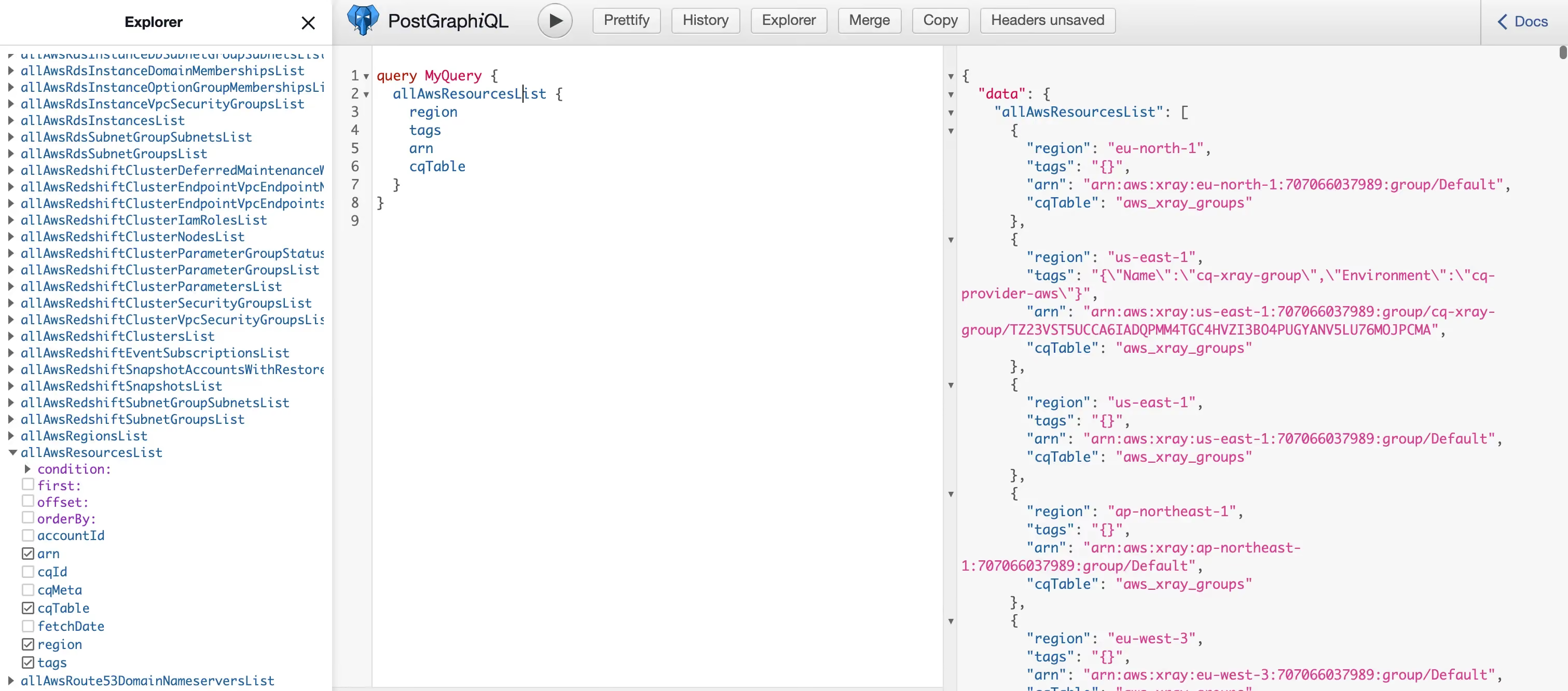
GraphiQL displaying CloudQuery AWS resources view query with GraphQL search by ARN, tags, and name

Step 5: Deploying in production

If you want to expose PostGraphile publicly please see PostGraphile Security or expose it privately and use either a bastion host or something like Tailscale on Kubernetes together with our helm charts.

Summary

In this post we showed you how to build an open-source cloud asset inventory with CloudQuery as the ETL (Extract-Transform-Load) / data-ingestion layer and PostGraphile as the API layer to expose the data for your internal team/users or any other downstream processing in the most convenient/preferred way.

Want to see CloudQuery in action? Schedule a demo with our team or check out the platform documentation to learn more.

Want help getting started? Join the CloudQuery community to connect with other users and experts, or message our team directly here if you have any questions.

Try CloudQuery yourself

Self-hosted, open source, and free to start. Or schedule a demo to see the managed version.

Related posts

Tutorials

How to Automatically Update CloudQuery Integrations with Renovate

Configure Renovate to automatically update CloudQuery integration versions in your YAML files using the CloudQuery Hub API as a custom datasource.

Matthew M

Matthew M

May 20, 2026

AWS

Security

Tutorials

Finding AWS Unrestricted Outbound Access in 2026: EC2, Lambda, and Beyond

Find EC2, Lambda, and ECS Fargate resources with unrestricted outbound access in AWS using SQL. Why egress controls still break attack chains in 2026.

Joe Karlsson

Joe Karlsson

May 5, 2026

AWS

Security

Tutorials

AWS IAM Identity Center with Google Workspace as an IdP: 2026 Step-by-Step Guide

Set up AWS IAM Identity Center with Google Workspace: SAML authentication, SCIM user provisioning, and group sync with CLI or ssosync. Updated for 2026.

Joe Karlsson

Joe Karlsson

May 5, 2026

GCP

Security

Tutorials

Creating Cross-Project Service Accounts in GCP (Console + gcloud CLI)

Create a GCP service account that reads across all your projects with one credential. Covers gcloud CLI, org-level vs.

Joe Karlsson

Joe Karlsson

May 5, 2026

AWS

Cloud Infrastructure

Security

Tutorials

Integrate AbuseIPDB Threat Intelligence with CloudQuery

Enrich your cloud asset inventory with AbuseIPDB threat intelligence to identify public cloud IPs with known abuse reports.

Joe Karlsson

Joe Karlsson

April 20, 2026

AWS

Cloud Infrastructure

Tutorials

How to Query ipinfo.io Data with CloudQuery

Learn how to enrich your cloud asset inventory with ipinfo.io IP geolocation and threat intelligence data using CloudQuery.

Joe Karlsson

Joe Karlsson

April 20, 2026

AWS

Security

Tutorials

AWS IAM Identity Center (Formerly AWS SSO): The Complete 2026 Guide

AWS IAM Identity Center replaced AWS SSO in 2022. Learn how to set it up, configure permission sets, use the AWS CLI, and audit access with CloudQuery.

Joe Karlsson

Joe Karlsson

April 6, 2026

AWS

Tutorials

AWS Pinpoint Is Being Deprecated: How to Assess Your Migration Scope

AWS Pinpoint reaches end of support October 2026. Query your Pinpoint usage across all accounts to find what needs migrating before the deadline.

Joe Karlsson

Joe Karlsson

March 24, 2026

Tutorials

Moving Data from PostgreSQL to MotherDuck

How to sync PostgreSQL data to MotherDuck using CloudQuery, with both one-off batch and continuous CDC streaming options for serverless analytics.

Herman Schaaf

Herman Schaaf

March 13, 2026

Own your pipeline.
Own your data.